Instagram Reel Aspect Ratio Explained: Why 9:16 Wins Every Time
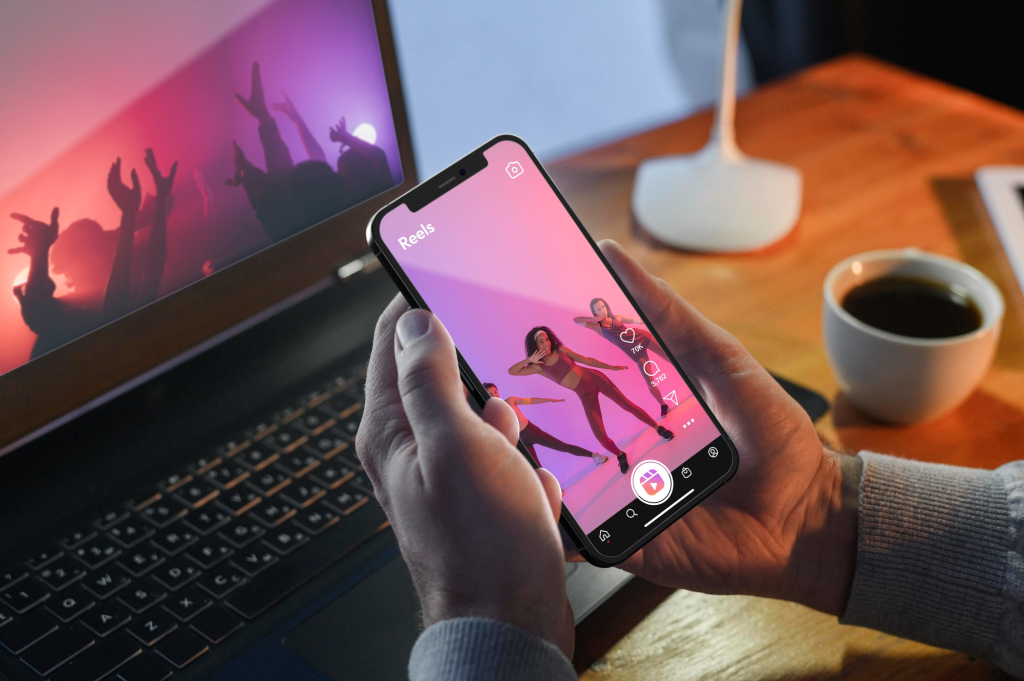
Post a Reel in the wrong shape, and Instagram will let you know fast. Black bars creep in above and below. Your subject gets squeezed into a thin strip in the middle of the screen. The whole thing looks like it was made for a different app entirely, because in a lot of cases, it was.
Getting the instagram reel aspect ratio right isn’t a small technical detail you can skip. It’s the difference between a Reel that fills the screen and pulls people in, and one that looks like an afterthought. This guide breaks down exactly why 9:16 is the format to use, and what happens when you don’t.
What Is the Instagram Reel Aspect Ratio?
Aspect ratio is just the shape of your video, expressed as a ratio of width to height. Instagram Reels use a 9:16 aspect ratio, which means the video is taller than it is wide, built specifically for a phone held in portrait orientation.
In pixel terms, that works out to 1080 pixels wide by 1920 pixels tall. This is the same shape as a phone held upright in your hand, which is exactly how the overwhelming majority of people actually watch Reels, rather than turning their device sideways to consume short-form content.
Why 9:16 Beats Every Other Shape
There are a few other aspect ratios you’ll run into when working with video: 16:9 (horizontal), 1:1 (square), and 4:5 (portrait, common in the main feed). None of them fill the Reels screen the way 9:16 does. At Shorts Generator AI, every Reel-ready export defaults to the correct vertical shape, precisely because these mismatched ratios are such a common formatting mistake.
16:9 horizontal video. This is the classic landscape shape, wider than tall. Drop it into the vertical Reels player, and Instagram adds thick black bars on the top and bottom. Your content shrinks into a narrow strip in the center of the screen.
1:1 square video. A square video leaves empty space above and below it once placed in a vertical frame. It’s better than horizontal, but it still wastes a large chunk of the screen that could be showing your content instead.
4:5 portrait video. This ratio is common for regular feed posts, and it comes closer to filling the screen than square or horizontal. But it still isn’t a full match for the Reels player, so it usually gets cropped or zoomed to compensate.
Only 9:16 fills the entire vertical canvas with no gaps, no bars, and no forced cropping. That’s why it’s the format Instagram was built around for Reels specifically.
What Happens When Your Reel Isn’t 9:16
Getting the ratio wrong doesn’t just look messy on a technical level. It actively works against how well your content performs once it’s live.
Wasted screen space. Any part of the screen that isn’t showing your video is a part of the screen not showing your message, your product, or the hook you spent time crafting. In a format built around commanding a viewer’s full attention, that lost space represents real value you’re leaving on the table.
A less finished look. Black bars and cropped edges read as unpolished, even when the underlying content itself is genuinely good. Viewers pick up on that instantly, often without consciously realizing why a particular video feels slightly off compared to the ones surrounding it in their feed.
Lower watch time. People scroll through Reels quickly, often deciding within a second or two whether to keep watching or move on. A video that doesn’t look right the moment it loads is easier to swipe past. Since watch time plays directly into how often a piece of content gets shown to new viewers, a poorly formatted Reel effectively starts at a disadvantage before it has a real chance to perform.
Getting the shape right the first time means you’re not left re-editing or re-exporting a video after already noticing, sometimes too late, that it looks wrong once it’s live and being watched by real people.
Instagram Reel Dimensions to Use
Here’s the exact spec sheet to work from before you shoot or export a Reel.
- Aspect ratio: 9:16 (vertical)
- Recommended dimensions: 1080 x 1920 pixels
- Minimum resolution: 720 x 1280 pixels
- File formats: MP4 or MOV
Working from these exact numbers before you shoot or export removes the guesswork, since every value here is a fixed spec rather than a rough estimate.
Safe Zones: Where Not to Put Your Text
Even when a Reel is exported at the correct 9:16 dimensions, certain parts of the frame still end up covered by Instagram’s own interface elements. Captions, the profile name, the like and share buttons, and the audio track name all sit along the edges of the screen, layered directly on top of whatever footage is playing underneath them.
To keep your text and graphics fully visible throughout the entire video, avoid placing anything important right at the very top, the very bottom, or along the right-hand edge of the frame, since those are the exact zones where Instagram’s interface tends to overlap. Centering key content within the middle portion of the vertical canvas is generally the safest approach for making sure nothing critical ends up hidden behind an on-screen button or caption.
Aspect Ratio Isn’t the Only Spec That Matters
Getting your shape right sets the foundation for a well-formatted Reel, but a handful of other factors work alongside it to determine how the finished video actually performs once it’s published. Length is one of the more significant variables in that equation. If you’re still working out how long your next Reel should run, this breakdown of how long the average Reel runs covers what tends to perform best across a range of different content types and formats.
Pairing the right length with the correct 9:16 shape gives your Reel a genuinely stronger starting point, well before you’ve even started thinking about the hook, the pacing, or the actual edit itself.
One Format, Multiple Platforms
The 9:16 vertical ratio isn’t unique to Instagram, which is worth keeping in mind if you’re creating content for more than one platform at a time. YouTube Shorts and TikTok both rely on the exact same vertical shape for their short-form video players.
That overlap means a video built correctly for one platform can usually be reused across all three without requiring a full reformat every single time. Getting the shape right a single time, rather than manually reformatting separately for each individual app, ends up saving a meaningful amount of time inside a typical content workflow.
Quick Checklist Before You Post
Run through this list before publishing your next Reel.
- Is your video shot or exported at 1080 x 1920 pixels?
- Is the aspect ratio actually 9:16, not 16:9, 1:1, or 4:5?
- Is your file saved as MP4 or MOV?
- Is your key text or graphic content kept away from the top, bottom, and right edges?
If everything on that list checks out, your Reel is formatted the way Instagram’s Reels player was actually built to display it.
Final Thoughts
The instagram reel aspect ratio isn’t a stylistic detail you can leave to guesswork or personal preference. It’s a fixed, well-documented spec, and getting it right from the very beginning is one of the more straightforward ways to make sure your video actually looks the way it’s supposed to look the moment someone opens it on their phone. Stick to 9:16, keep your dimensions locked at 1080 x 1920 pixels, and respect the safe zones so that nothing important ends up hidden behind an on-screen button or caption.
Once your format is locked in and you’re no longer second-guessing the shape of your export, browse our full set of creation tools to start building Reels that are sized correctly from the very first export, rather than fixing the ratio after the fact.
Frequently Asked Questions
1. What is the correct aspect ratio for an Instagram Reel?
The correct aspect ratio for an Instagram Reel is 9:16, which translates to 1080 x 1920 pixels. This vertical shape fills the entire Reels screen without black bars or cropping.
2. Can I post a square or horizontal video as a Reel?
Yes, Instagram will still accept square or horizontal video into the Reels format, but neither one fills the screen the way 9:16 does. Square video leaves empty space above and below, while horizontal video gets sandwiched between black bars.
3. Why do black bars appear on my Reel?
Black bars usually appear when a video is uploaded in a horizontal 16:9 shape instead of the vertical 9:16 format Reels are built around. Reformatting the video to 1080 x 1920 pixels before uploading removes the bars.
4. Is 9:16 the same aspect ratio used on other platforms?
Yes, YouTube Shorts and TikTok also use a 9:16 vertical aspect ratio, so a properly formatted Reel can typically be reused across all three platforms without reformatting.
5. Where should I avoid placing text on a Reel?
Avoid placing important text or graphics near the top, bottom, or right edge of the frame, since Instagram’s interface elements like captions and action buttons sit in those areas.